Plays via YouTube (youtube-nocookie.com) once you click.
Why Pro
From indicator soup to a fixed rule set
Without rules
Five indicators on the chart, three opinions and no decision.
There is an entry, but where does the stop go? And where is the target?
It is unclear which market and timeframe the approach was even built for.
With Indicatr Pro
One approach per indicator: entry, stop and targets follow fixed rules.
The dashboard shows which condition is met and which one is missing.
A hypothetical simulation shows on the chart how the rules would have behaved on past prices.
The 4 Pro indicators
Rule-based levels with stop loss and take profit
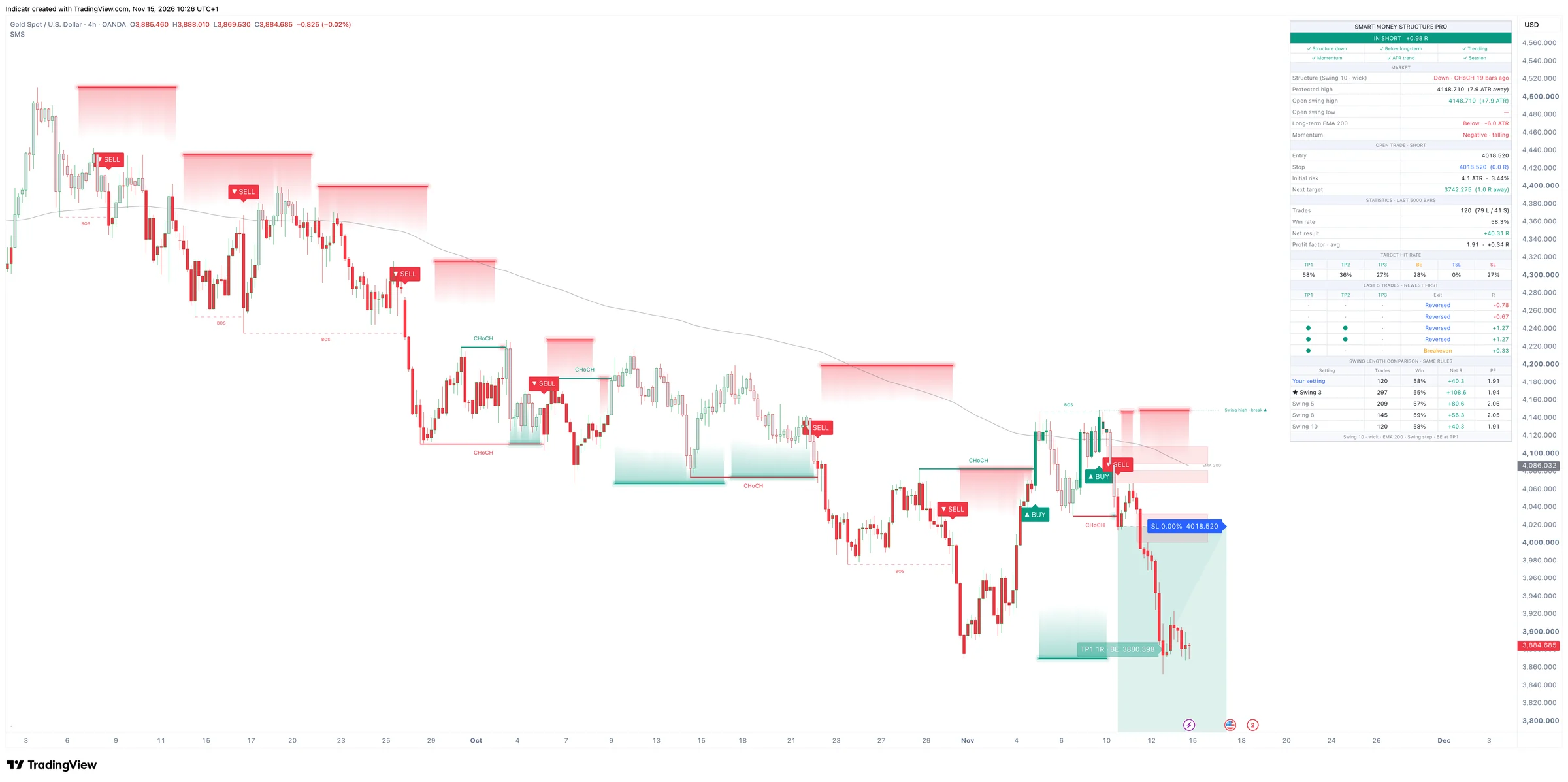
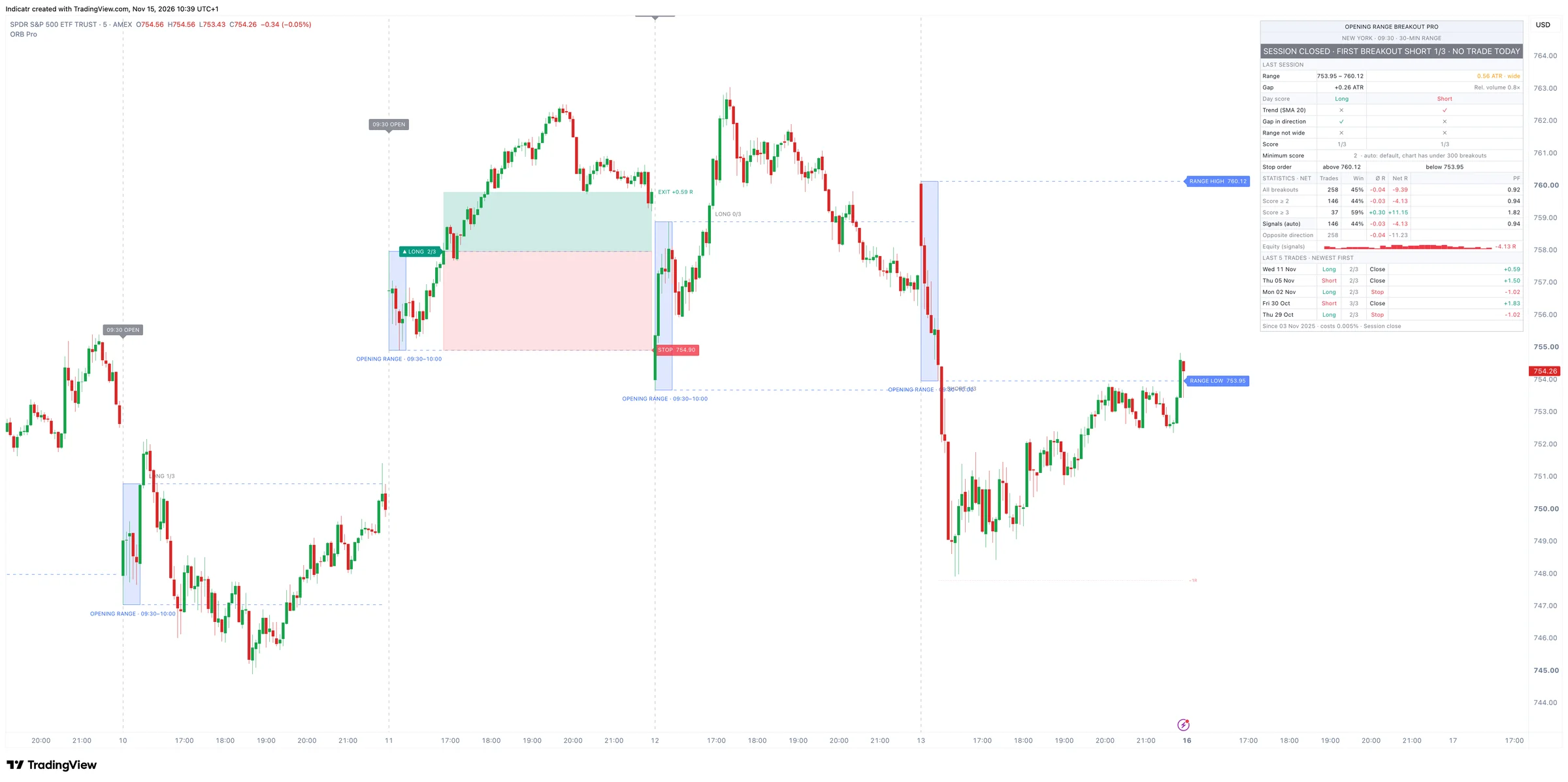
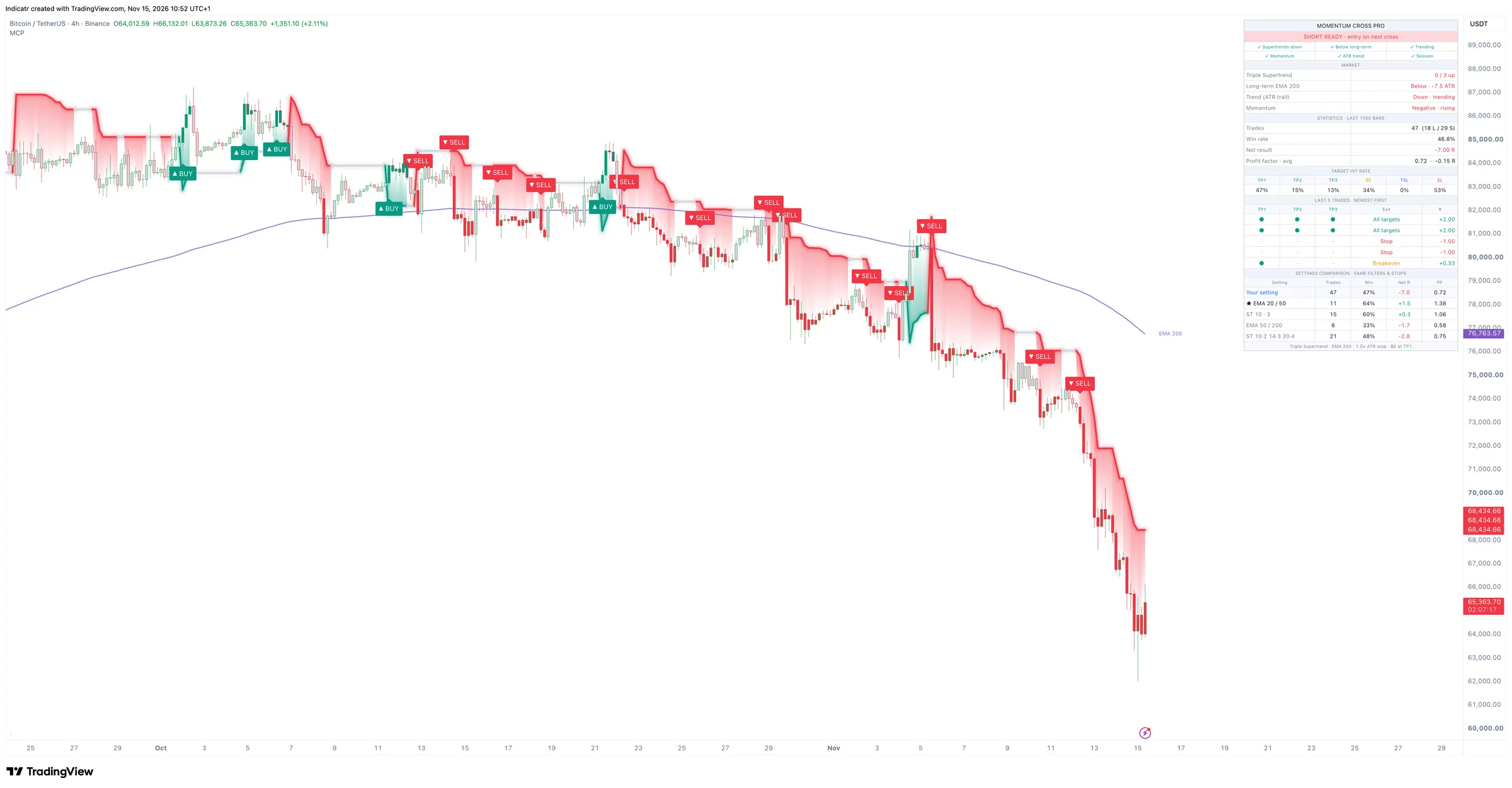
Four different approaches: volume, market structure, a daily routine and trend following. Use the one that fits your market and style, or combine them.
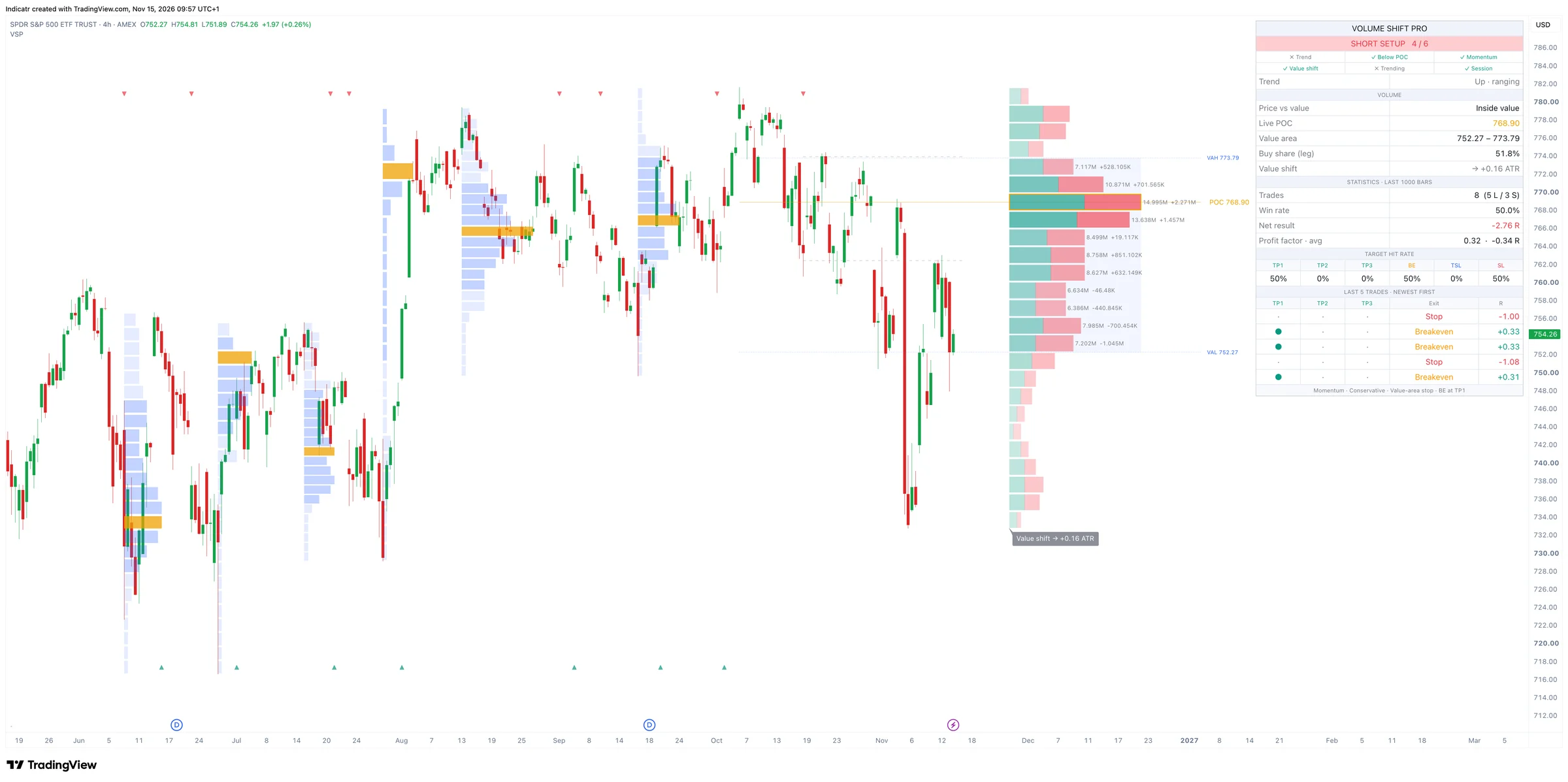
Volume Shift Pro · SPY · 4h
01·Volume · value shift
Volume Shift Pro – Volume profile indicator for TradingView
See where the market accepted volume and where that value is moving right now.
Who it is for: Swing traders who want to read volume instead of drawing lines by gut feeling.
Timeframe
4h and daily
Markets
With real volume, e.g. S&P 500, gold, NVIDIA
A volume profile over every swing, with POC and value area as reference zones.
A live profile of the current move: are buyers or sellers in control right now?
Long and short setups when value shifts, with a stop behind the value area and three targets.
To be honest: Needs real volume. It is weak on thin crosses like GBP/NZD.
What every indicator includes: stop loss, take profit, alerts
Not just an entry point, but the whole trade as rule-based levels on the chart.
No repainting
Volume Shift, Smart Money Structure and Momentum Cross confirm on the close. Opening Range Breakout enters like a stop order right at the range level. Once something is on the chart, it does not disappear afterwards.
Stop and targets on the chart
Every setup comes with a stop. Volume Shift, Smart Money Structure and Momentum Cross show three targets in R and move to breakeven after the first one. Opening Range Breakout stops at the other side of the range.
Hypothetical simulation
The indicator runs its rules over the prices on your chart and shows every past trade. Purely hypothetical.
Dashboard with statistics
Status, a checklist of the conditions, open trades and the statistics of the hypothetical simulation in one table.
Alerts
Alerts for new setups and status changes, so you do not have to sit in front of the chart all day.
Docs in 3 languages
Every feature and every setting explained in English, German and Spanish, with notes on which markets fit.
The simulation is hypothetical: it runs on past prices, excludes fees and slippage and says nothing about future results.
Honest, not hype
What the indicators cannot do
An indicator is a tool, not the result. Which setups you take, how much you risk and how you manage the trade is your decision.
What they do not see
News, economic data, central-bank meetings and earnings.
Intermarket links such as the dollar, rates and risk sentiment.
Whether your market is trending or ranging right now. Every approach has phases in which it loses.
Not for you if …
you are looking for a system that makes money without you.
you cannot sit through losing streaks or trade without position sizing.
you are looking for investment advice or buy and sell recommendations.
A fit if …
you want to analyse by fixed rules instead of gut feeling.
you want to know where the idea becomes invalid before you enter.
you are willing to filter setups yourself and keep learning.
How access works
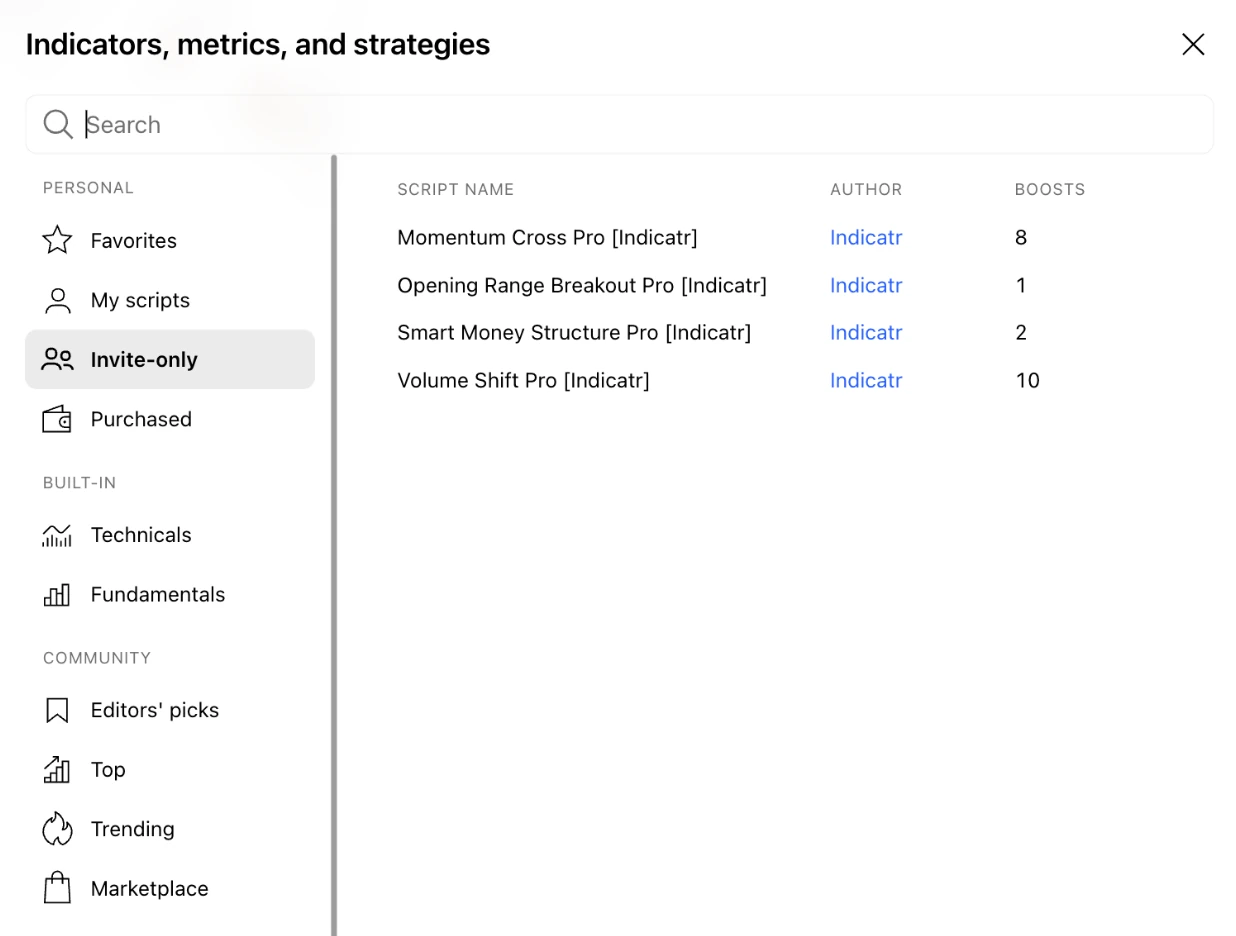
Invite-only scripts: on your chart in 3 steps
1Buy and enter your TradingView usernameIn the Gumroad order form, enter the username of the TradingView account you chart with. A free account is enough.
2Access within 24 hoursWe grant access to all four Pro indicators for your TradingView account by hand.
3Add them to your chartOpen “Indicators” on your chart, pick “Invite-only” on the left and click the indicator.
Through Gumroad. Gumroad is the seller of record and handles payment, tax and your receipt. Enter your TradingView username in the order form and we grant access by hand within 24 hours.
What is included in Indicatr Pro?
+
All four Pro indicators: Volume Shift Pro, Smart Money Structure Pro, Opening Range Breakout Pro and Momentum Cross Pro. Plus a quickstart guide (PDF), the docs in English, German and Spanish, and all updates.
How quickly do I get access?
+
We grant access by hand within 24 hours of your purchase. You then find the indicators on your chart under “Indicators” → “Invite-only”.
Do I need a paid TradingView plan?
+
No. Invite-only scripts also work with a free TradingView account. The free plan only limits how many indicators fit on a chart at once.
Do the indicators show long and short setups?
+
Yes, all four show rule-based levels for long and short with a stop and targets. A setup is a candidate, not a recommendation. Whether you take it is your call, based on events, the market and your risk.
What does the simulation show?
+
It is hypothetical: it shows how the rules would have behaved on past prices, excluding fees and slippage. It says nothing about future results.
My TradingView username changed. What now?
+
Email info@indicator.trading with your Gumroad order number and the new username, and we will move your access.
How do I cancel?
+
Any time, via the link in your Gumroad receipt email or in your Gumroad Library. Access stays until the end of the paid month. There are no refunds.
Four complete approaches. Your decisions.
Get the Pro indicators on your TradingView chart, and take your time with the docs first.
US$89 per month, plus VAT where applicable · cancel any time
Checkout via Gumroad. Enter your TradingView username in the order form; access is granted by hand within 24 hours.
These indicators are software tools for technical analysis. They are not investment advice and not a recommendation to buy or sell. Simulations use past data, are hypothetical, exclude fees and slippage and say nothing about future results. Trading involves a high risk of loss.
Premium TradingView Indicators with Stops & Targets | Indicatr Pro